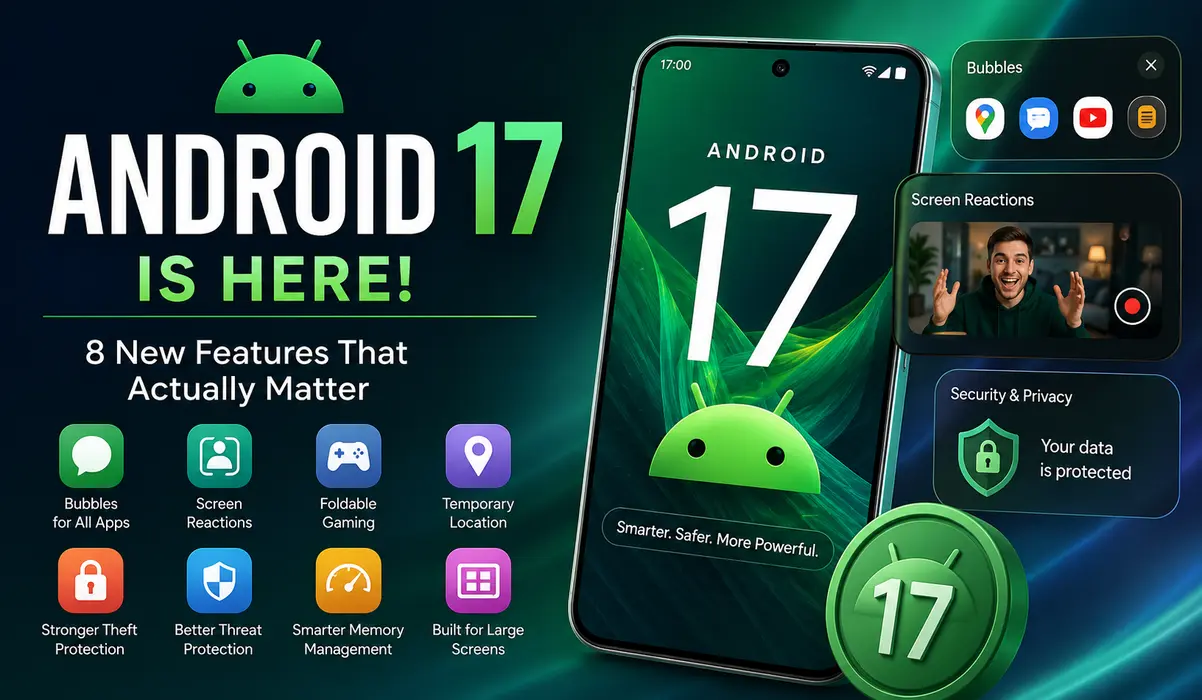
Android 17 is more than a new version number. Google has added better multitasking, stronger security, improved privacy controls, new creator tools, foldable gaming features and better support for large screens. Here’s what actually matters to normal users.
Android updates often come with a long list of new features, but most people don’t care about dozens of small changes buried in developer documentation.
What matters is simple: Will my phone become safer, easier to use or genuinely better after the update?
Android 17, which started rolling out to supported Pixel devices on June 16, 2026, has several changes that answer that question. Google says the rollout will continue to other eligible Android devices throughout 2026.
I went through the major Android 17 changes and separated the features that are actually useful from the ones most people will barely notice.
1. You Can Turn Apps Into Floating Bubbles
One of Android 17’s most practical changes is the expanded Bubbles feature.
Android has supported notification bubbles for years, but Android 17 takes the idea further. Users can turn apps into floating windows by long-pressing an app icon. On large screens, Android also adds a bubble bar for managing these floating apps.
Why does this matter?
Imagine watching a tutorial while keeping your notes open. Or checking something in Maps while replying to a message. Instead of repeatedly switching between full-screen apps, you can keep another app available on top.
It’s a small change, but it’s the kind of feature that can become part of your everyday routine.
Worth it? Yes.
This is especially useful on tablets, foldables and phones with larger displays.
2. Screen Reactions Could Be Great for Creators
Android 17 also improves screen recording.
The new recording tools make it possible to capture your screen while recording your reaction with the front-facing camera. Google has also redesigned the recording controls with a floating toolbar.
That gives creators a much easier way to make:
- App tutorials
- Reaction videos
- How-to guides
- Gaming commentary
- Product demonstrations
Previously, you might have needed another editing application to combine your screen recording with camera footage.
Now the phone can handle much more of that process itself.
For ordinary users, this may not matter much. For people who create content from their phones, it could save a surprising amount of time.
Worth it? Very much, if you create content.
3. Android 17 Makes Foldable Gaming More Interesting
Foldable phones have huge screens, but developers still have to figure out how to use that extra space properly.
Android 17 adds a foldable gaming mode that can divide the display so the game occupies one part while a dynamic gamepad appears in another. Google also highlights controller remapping and gaming-related performance improvements.
The interesting part isn’t simply having a bigger screen.
The real benefit is using the extra screen as part of the control system.
A foldable phone could potentially feel more like a handheld gaming device without requiring a separate physical controller.
Of course, the actual experience will depend on the phone manufacturer and the game itself.
Worth it? Yes, but mainly for foldable owners and mobile gamers.
4. Privacy Controls Are Getting More Useful
Privacy improvements rarely make headlines, but they may be more important than another visual redesign.
Android 17 adds better ways to control sensitive information shared with applications. Google highlights temporary location access and more controlled contact selection, reducing the need to give an app broader access than necessary.
That matters because many applications ask for permissions that users rarely think about after tapping “Allow.”
Instead of treating permissions as something you approve once and forget, Android is moving toward more limited and contextual access.
For example, an application that only needs your location for a specific task doesn’t necessarily need permanent access to precise location information.
Worth it? Absolutely.
Privacy controls are one of the Android 17 improvements that almost every user can benefit from.
5. Losing Your Phone Is Less Terrifying
This is arguably one of Android 17’s most useful improvements.
Google has strengthened protections around lost and stolen devices. Android 17 improves the ability to lock a missing phone through Find Hub and adds stronger protections against repeated incorrect PIN attempts.
Think about what is stored on a modern smartphone.
Banking applications.
Email accounts.
Private photos.
Passwords.
Work documents.
Messages.
Authentication codes.
Losing the physical phone is annoying. Losing access to everything stored on it can be much worse.
Better protection against unauthorized access therefore has a much bigger real-world impact than a new icon design.
Worth it? Yes. This is one of the updates I’d prioritize.
6. Android 17 Is Paying More Attention to Security
Security is another major part of Android 17.
Google says the new release includes stronger protections designed to identify threats and suspicious activity, while its broader Android security work continues to improve protection against malicious applications and scams.
This is becoming increasingly important because Android users are dealing with more than traditional malware.
There are fake APK files, phishing pages, malicious applications and social-engineering scams designed to make people hand over their accounts or personal information.
An operating system cannot stop every scam, but stronger security at the platform level can reduce the number of ways an attacker can hurt a user.
Google’s August 2026 Android security bulletin also includes fixes for vulnerabilities affecting supported Android devices.
Worth it? Yes. Security updates should never be treated as optional decoration.
7. Android 17 Changes How Apps Use Memory
This is one of the most technical changes, and most people will never see it directly.
Android 17 introduces app memory limits based on the amount of RAM available on the device. Google’s stated goal is to improve system stability and reduce problems caused by applications consuming excessive memory.
Why should a normal user care?
Because RAM problems can lead to:
- Apps being killed in the background
- Interface stuttering
- Higher battery usage
- Less predictable performance
The goal isn’t simply to make a phone appear faster.
It’s to make Android behave more consistently when applications are badly behaved or consume too many resources.
Worth it? Yes, but you’ll probably notice the benefit indirectly.
8. Android Is Finally Taking Large Screens More Seriously
For years, many Android applications treated tablets and foldables like oversized phones.
Android 17 continues Google’s push toward proper support for larger screens and desktop-style windowing. Android’s developer documentation also describes changes to orientation, resizability and aspect-ratio behavior on large displays.
This matters because Android is now running on much more than conventional smartphones.
There are:
- Foldable phones
- Tablets
- External displays
- Desktop-style setups
- Large-screen devices
Android 17 is being designed around that reality.
For someone using a normal phone, this may not change much today.
For tablet and foldable owners, however, it could make Android feel considerably more like a full computing platform.
Worth it? Yes, especially on larger devices.
What About Gemini and AI?
It would be easy to look at Android 17 and call it an “AI update.”
That’s not really accurate.
Google is clearly adding more AI capabilities to Android, including Gemini-related experiences on supported devices. But Android 17 also contains substantial improvements to security, privacy, multitasking, gaming, memory management and large-screen support.
The interesting part is that many of the most useful changes don’t require you to use AI at all.
That’s a good thing.
A phone shouldn’t need an AI feature to justify every operating-system update.
Which Phones Will Get Android 17?
Android 17 began rolling out to supported Pixel devices first.
Google says other eligible Android devices will receive the update throughout 2026.
The exact schedule depends on the manufacturer, model, region and carrier.
That means a phone being compatible with Android 17 doesn’t necessarily mean the update will arrive on the same day as a Pixel device.
Samsung, Xiaomi, OnePlus, OPPO, vivo and other manufacturers also add their own software on top of Android, so some features may look different or arrive at different times.
How to Check for the Update
On most Android phones, open:
Settings → System → Software Update
The exact menu can be different on Samsung, Xiaomi, OnePlus, OPPO and vivo phones.
Don’t download Android 17 from random APK websites or unofficial update packages just because your phone hasn’t received the update yet.
Wait for the official update from your manufacturer.
Should You Update to Android 17?
For most supported phones, yes.
But don’t update simply because the number changed from 16 to 17.
The strongest reasons are security, privacy, better multitasking and improved support for newer hardware.
If you use a foldable phone, create mobile content or regularly work with multiple apps, you’ll probably notice more benefits than someone using a basic smartphone.
And if your current phone has stopped receiving current security patches, getting onto a supported Android version becomes even more important.
Which Android 17 Features Matter Most?
Here’s how I’d rank them for everyday users:
| Feature | Everyday value |
|---|---|
| Stronger lost-phone protection | ⭐⭐⭐⭐⭐ |
| Privacy controls | ⭐⭐⭐⭐⭐ |
| Security improvements | ⭐⭐⭐⭐⭐ |
| Floating Bubbles | ⭐⭐⭐⭐ |
| Better screen recording | ⭐⭐⭐⭐ |
| Memory management | ⭐⭐⭐⭐ |
| Large-screen improvements | ⭐⭐⭐⭐ |
| Foldable gaming | ⭐⭐⭐ |
| Gemini/AI features | Depends on device and usage |
The important thing is that Android 17 isn’t built around one killer feature.
It’s a collection of smaller improvements that make the operating system safer, more flexible and better prepared for newer hardware.
Android 17: Our Verdict
Android 17 isn’t a dramatic redesign, and that’s probably fine.
The strongest improvements are the ones you’ll use without thinking about them: better security, stronger protection for lost phones, tighter privacy controls, more flexible multitasking and better support for larger screens.
Creators and gamers also get some meaningful upgrades, particularly with improved screen recording and foldable gaming.
The update won’t make every old phone feel brand new. Hardware still matters.
But for supported devices, Android 17 looks like a meaningful step forward rather than a simple version-number change.
UpdateSaga Verdict: 8.5/10
Best improvements: Security, privacy, multitasking and large-screen support.
Best for: Pixel users, creators, foldable owners, gamers and anyone who values stronger device security.
Frequently Asked Questions
Is Android 17 available now?
Yes. Google began the Android 17 rollout for supported Pixel devices on June 16, 2026. Other eligible devices are receiving the update during 2026.
Is Android 17 a major update?
It is a meaningful update, but not a complete visual redesign. Its biggest changes focus on security, privacy, multitasking, gaming, memory management and large-screen devices.
Will every Android phone get Android 17?
No. Eligibility and rollout timing depend on the phone manufacturer and specific model.
Is Android 17 safer than Android 16?
Android 17 introduces additional security and privacy improvements, but staying on the latest security patch available for your supported device is also important.
Should I install Android 17 immediately?
For an officially supported phone, there is generally a good reason to update, particularly because newer versions include security improvements. Still, major OS updates can sometimes have early bugs, so users who rely heavily on their phone for work may prefer to check for manufacturer-specific issues before updating.
Last reviewed: August 21, 2026