Perplexity Comet is shaping a new era for web browsers. Instead of simply providing internet access, it acts as an interactive workspace powered by advanced AI. With its innovative approach, Comet enables users to research, organize, and automate tasks quickly, all within a single platform.
What Is Perplexity Comet?
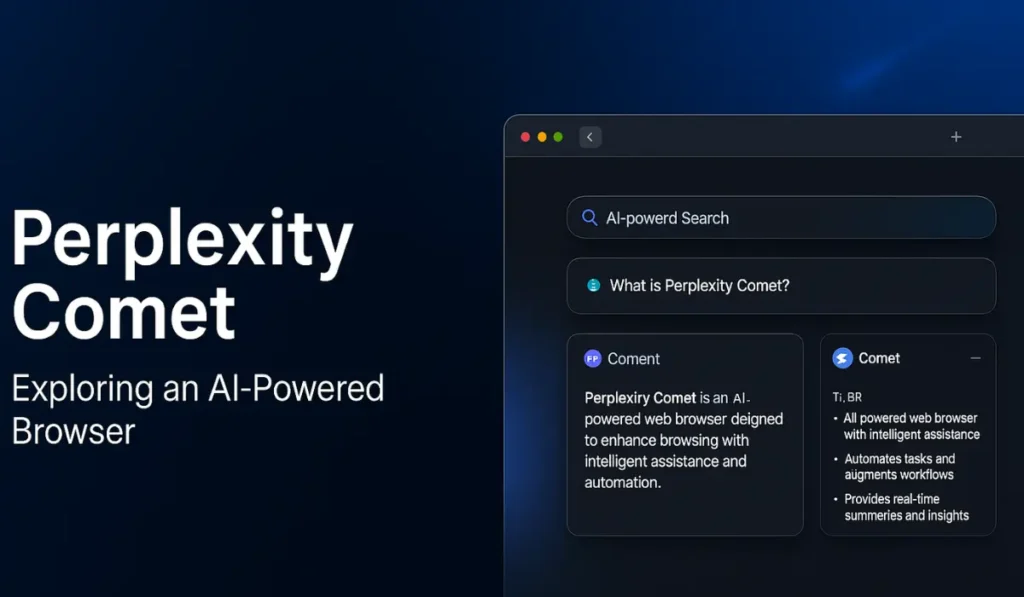
Comet is a desktop browser built with an AI assistant at its core. Designed for people eager to conquer information overload, it turns traditional web browsing into a dynamic conversation. Comet allows users to interact with content directly, streamline repetitive work, and transform digital information into actionable insights.
- Who Can Use It? Perplexity Max subscribers and users on the waitlist.
- Platform: Chromium-based desktop application with cross-device syncing.
- Core Mission: Make browsing smart, efficient, and collaborative.
Main Features
Smart AI Assistant
- Available in a sidebar, offering live summaries and helpful answers on any page.
- Can automate simple tasks, fill out forms, and offer context-specific recommendations.
- Remembers what you’re working on across sessions and browser tabs.
Agentic Task Automation
- Handles complex actions like emailing, event scheduling, and making online purchases, all triggered by plain text prompts.
- Integrates with popular productivity tools, such as Gmail and calendar apps.
Enhanced Search and Discovery
- Replaces standard search engines with answer-rich, AI-powered results.
- Offers concise summaries, source lists, and alternative suggestions without leaving your workflow.
Productivity and Organization
- Converts confusing tab arrays into neat, project-based “workspaces.”
- Automates frequent tasks: note-taking, inbox processing, and meeting preparation.
Real-Time Insights
- Instantly summarizes articles, emails, or dense documents.
- Provides action suggestions based on what is visible in your browser.
How Is Comet Different?
| Feature | Comet | Traditional Browsers |
|---|---|---|
| AI Assistant | Built-in and persistent | Sometimes, via extension |
| Task Automation | Multi-step, conversational | Manual, need add-ons |
| AI Search | Summarized, context-aware | Standard web results |
| Project Workspaces | Organized by topic or activity | Tab-based only |
| Cross-Platform Sync | Full context transfer | Varies |
Comet is more than a browser—it’s an active digital collaborator that reduces friction between idea, action, and result.
Practical Use Cases
- Research: Summarize web pages instantly, ask follow-up questions, or pull related data without losing track of progress.
- Workflows: Automate everyday tasks like replying to emails, scheduling meetings, or recruiting candidates.
- Shopping: Compare reviews, gather prices, and purchase products directly from the sidebar.
- Learning: Translate, explain, or highlight any web content for better understanding.
Pricing and Access
- How to Get It: Available to Perplexity Max subscribers and to those with early access invitations.
- Other Integrations: Collaborations with device makers and telecom providers sometimes offer special access options.
Explore other Blogs
- How to Use ChatGPT Agents for Automation
- Google Comet AI Agent: The Future of Smart Task Automation
- AI vs ML vs DL: What’s the Real Difference?
Conclusion
Perplexity Comet stands out by converting browsing into an interactive experience. Its AI-driven capabilities make it a powerful ally for researching, organizing, and automating daily tasks. As web technology continues to evolve, Comet paves the way for browsers that don’t just display information—but help you master it.