Artificial intelligence continues to evolve rapidly, and Google’s latest creation, Gemini Pro, is a testament to that progress. As OpenAI’s ChatGPT and Anthropic’s Claude continue to dominate the AI landscape, Google has taken a massive leap forward with Gemini Pro, aiming to offer a more robust, multimodal, and enterprise-grade AI experience.
Whether you’re a content creator, developer, business strategist, or casual user, this guide will walk you through everything you need to know about Google Gemini Pro in 2025 — from features and pricing to real-world use cases and top alternatives.
What Is Google Gemini Pro?
Gemini Pro is Google’s most advanced AI chatbot built to compete with ChatGPT-4 and Claude 3. It’s part of Google’s broader Gemini ecosystem and is designed for enhanced natural language understanding, creative tasks, coding, reasoning, and image analysis. Unlike its predecessor Bard, Gemini Pro brings a more conversational tone, better context retention, and broader multimodal capabilities.
It supports:
- Text understanding and generation
- Image recognition and analysis
- Context-aware reasoning over longer conversations
- Real-time web browsing (in some versions)
- Integration with Google Workspace tools
Google Gemini Pro is available through Google’s Gemini AI portal (formerly Bard) and select integrations within Gmail, Docs, and Google Cloud.
Key Features of Gemini Pro
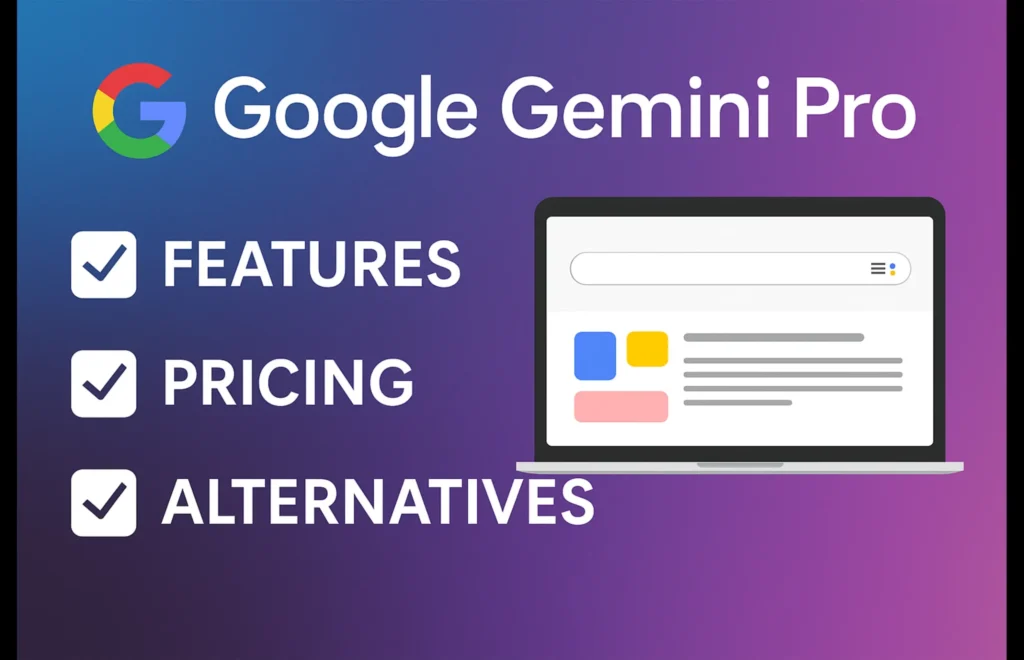
Let’s take a closer look at what makes Gemini Pro stand out:
1. Multimodal Input
Gemini Pro can handle both text and image inputs in a single query. You can upload a screenshot, diagram, or image and ask questions or request analysis based on what it sees. This is incredibly useful for students, designers, and researchers.
2. Workspace Integration
It’s tightly connected with Google Workspace apps like Gmail, Google Docs, Sheets, and Slides. You can:
- Ask Gemini to write or format emails
- Generate slides based on a document
- Analyze spreadsheet data and suggest formulas
3. Advanced Reasoning
Gemini Pro includes advanced context awareness, able to reference earlier parts of a conversation, making it more human-like and helpful in longer sessions.
4. Code Assistance
Like GitHub Copilot and ChatGPT, Gemini Pro provides real-time coding help. It can:
- Debug code snippets
- Suggest improvements
- Help learn programming languages
5. Language Support
Gemini Pro supports over 100+ languages, making it one of the most versatile tools for global users.
6. Real-Time Web Access (Premium)
While the free version relies on existing training data, Gemini Pro (Advanced tier) can browse the internet live, ensuring up-to-date information.
Google Gemini Pro Pricing Plans
Gemini offers multiple tiers depending on user needs:
| Plan | Monthly Price (USD) | Features |
|---|---|---|
| Free Tier | $0 | Basic chatbot with limited context, no image input |
| Gemini Pro | $19.99 | Multimodal input, Workspace access, longer memory |
| Gemini Pro Advanced | $29.99 | Web browsing, document uploads, advanced coding, priority access |
| Enterprise AI | Custom pricing | API integration, team support, workflow automation |
Use Cases of Gemini Pro
Gemini Pro’s strength lies in its versatility. Here’s how different users benefit:
Content Creators:
- Write blogs, articles, scripts, and product descriptions
- Generate image prompts or assist with YouTube video ideas
- Summarize long content and suggest headlines
Developers:
- Get help debugging or writing code
- Ask for performance optimizations
- Learn new programming languages with example-based learning
Business Teams:
- Use Gemini in Docs to auto-create reports and proposals
- Summarize emails or generate replies in Gmail
- Analyze sales data in Sheets using AI-driven formulas
Students & Educators:
- Explain complex topics in easy terms
- Get summaries of long reading material
- Translate or proofread content
Designers:
- Upload images for analysis or alt-text suggestions
- Get color palette ideas or branding inspiration
Gemini Pro vs ChatGPT vs Claude 3
| Feature | Gemini Pro | ChatGPT-4 | Claude 3 |
| Multimodal Input | Yes (Advanced) | Yes (Plus & Pro) | Yes (Claude Opus) |
| Pricing | Starts at $19.99 | Starts at $20 | Free / Opus $20 |
| Web Access | Pro tier | Yes in Plus | Limited |
| Workspace Integration | Full (Docs, Gmail) | None | Basic via APIs |
| Coding Assistance | Yes | Yes | Yes |
| Best For | Google ecosystem | General tasks | Document reasoning |
Alternatives to Gemini Pro in 2025
If you’re exploring other tools, here are top alternatives:
1. OpenAI’s ChatGPT (Plus)
- Great for coding, writing, and plugins
- Access to DALL·E and Code Interpreter
2. Anthropic Claude 3
- Strong reasoning over long documents
- Free and paid plans available
3. Microsoft Copilot
- Integrated into Microsoft 365 (Word, Excel)
- Enterprise-grade AI features
4. Perplexity AI
- Live internet research assistant
- Fast factual summaries and citations
5. Notion AI / Grammarly AI
- Writing assistance within note-taking and editing apps
Final Thoughts
Google Gemini Pro is a bold step forward in conversational AI. With powerful multimodal input, deep Google Workspace integration, and multiple pricing tiers, it’s suited for both casual users and professionals.
Whether you’re a writer, marketer, teacher, or developer, Gemini Pro offers valuable tools to speed up your workflow and spark creativity. And with frequent updates and deeper AI integration expected throughout 2025, now is the perfect time to start using it.