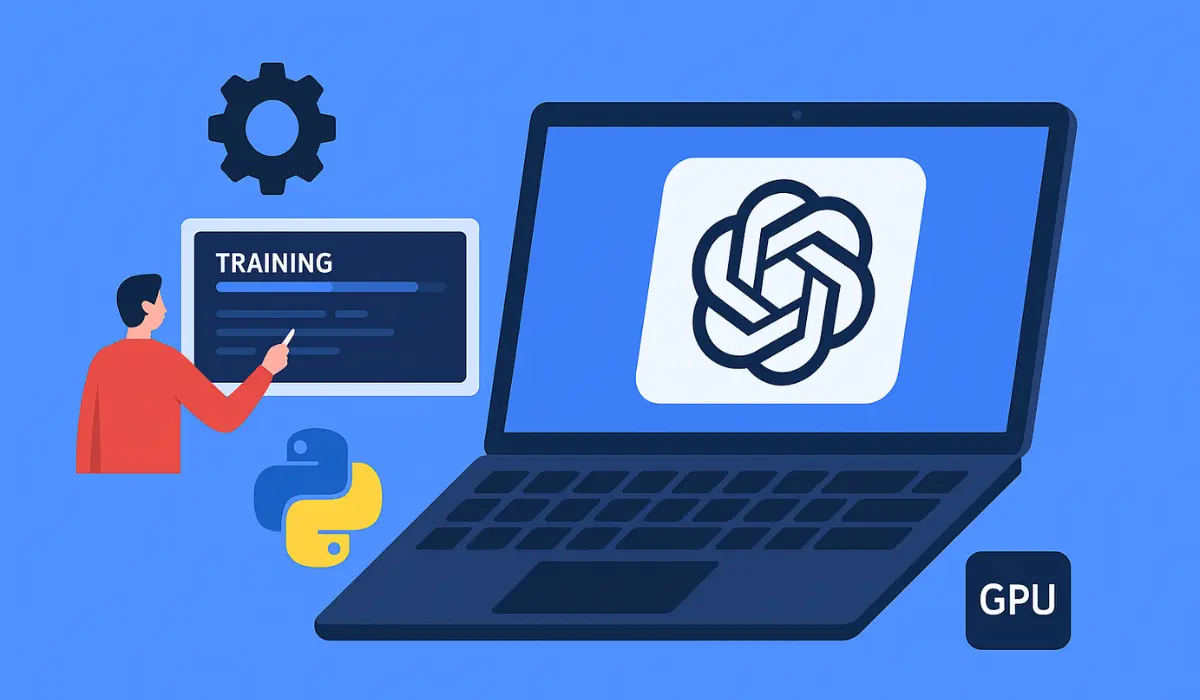
You’ve probably heard the buzz around GPT (Generative Pre-trained Transformers) and large language models like ChatGPT, Claude, or Gemini. But here’s the question: Can you train your own GPT at home?
The short answer is yes… but it’s complicated.
In this blog post, we’re going to break it down step by step—what it takes to train a GPT model from scratch, what hardware and software you’ll need, the costs involved, and whether it’s even worth trying. We’ll also explore some smarter alternatives if building from the ground up isn’t feasible for you.
What Is a GPT Model, Really?
Before we talk about training one, let’s get clear on what a GPT model is. GPT stands for “Generative Pre-trained Transformer.” These models are trained on massive datasets to understand and generate human-like language. They’re used in chatbots, content generation tools, coding assistants, and more.
The key parts of training GPT models include:
- Tokenization: Converting text into machine-readable numbers.
- Training on large text corpora: Books, articles, websites, forums.
- Fine-tuning: Customizing a model for specific tasks.
- Inference: Generating responses using the trained model.
Is It Possible to Train GPT at Home?
Here’s the truth: training a full-scale GPT model (like GPT-3 or GPT-4) at home is not practical. The hardware requirements alone would crush most consumer-grade setups. But if your goal is to experiment with smaller models, fine-tune existing ones, or learn how the process works—you absolutely can do that.
Let’s break it down.
What You Need to Train a GPT at Home
1. A Decent GPU (or Several)
You’ll need a powerful GPU with a high amount of VRAM. NVIDIA GPUs are your best bet due to their support for CUDA and frameworks like PyTorch and TensorFlow.
Recommended GPUs for home training:
- NVIDIA RTX 3090 (24GB VRAM)
- NVIDIA RTX 4090 (24GB VRAM)
- NVIDIA A100 or H100 (if you have access to enterprise-level gear)
- Multiple GPUs with NVLink (if you’re serious)
A single RTX 3090 can handle small-scale models like GPT-2 or GPT-Neo-125M. But for anything larger, you’ll hit performance bottlenecks quickly.
2. Lots of RAM
You’ll want a minimum of 64GB of system RAM. Preferably 128GB+ if you’re working with large datasets or multitasking during training.
3. SSD Storage (Fast and Large)
Your training data and model weights will eat up storage. Go for:
- At least 1TB NVMe SSD
- Bonus: RAID setup for even faster I/O
4. A Suitable CPU
While most of the training load is on the GPU, a fast CPU still helps with data preprocessing and model orchestration.
Suggested: AMD Ryzen 9 or Intel i9 processors.
5. Operating System
Linux (Ubuntu 22.04 LTS or similar) is the preferred environment. It’s stable, open-source, and widely supported by ML libraries.
Learn more: Ultimate Comparison of the Best AI Image Generators in 2025: Features, Pricing & Accuracy
What About Electricity Costs?
Training large models is power-intensive. Running a high-end GPU setup 24/7 can easily push your monthly electricity bill into hundreds of dollars. This is a real concern if you’re training over weeks or months.
Software You’ll Need
1. Python
Python is the core language for most machine learning work.
2. Deep Learning Frameworks
- PyTorch – Most popular for LLMs.
- TensorFlow – Powerful but less used for transformer training now.
- Hugging Face Transformers – Open-source library that gives you pre-trained models and tools to train your own.
bashCopyEditpip install transformers datasets accelerate
3. Tokenizers
Tokenization is a core part of training. Hugging Face’s tokenizers library is optimized and fast.
bashCopyEditpip install tokenizers
Where Do You Get the Training Data?
Models like GPT-3 were trained on hundreds of billions of tokens from a blend of internet text, books, Wikipedia, and more.
You won’t have access to that scale, but here are solid open datasets:
- The Pile (800GB of diverse data)
- OpenWebText (Reddit-filtered open web data)
- Wikipedia Dumps
- Common Crawl
- BooksCorpus + Project Gutenberg
Pro tip: Clean your data! Remove HTML tags, broken text, and ensure consistent encoding (usually UTF-8).
Learn more: Google Comet AI Agent: The Future of Smart Task Automation
How to Train a GPT Model (Simplified Steps)
Step 1: Choose Model Size
Pick a model that fits your resources.
- GPT-2 small (124M parameters): Easy on GPU.
- GPT-Neo 125M/1.3B: Great for experimentation.
- GPT-J or GPT-NeoX: Need serious GPU power.
Step 2: Prepare the Dataset
Use Hugging Face datasets or custom scripts to load, clean, and tokenize your data.
pythonCopyEditfrom datasets import load_dataset
dataset = load_dataset("wikitext", "wikitext-2-raw-v1")
Step 3: Train the Model
Use Trainer API or custom training loop. Define optimizer, learning rate, batch size, and epochs.
pythonCopyEditfrom transformers import GPT2LMHeadModel, Trainer, TrainingArguments

training_args = TrainingArguments(
    output_dir="./gpt2-finetuned",
    per_device_train_batch_size=2,
    num_train_epochs=3,
    save_steps=10_000,
    save_total_limit=2,
)

trainer = Trainer(
    model=model,
    args=training_args,
    train_dataset=tokenized_dataset["train"],
)
trainer.train()
Step 4: Save and Test
After training, save the model and test it with prompts.
pythonCopyEditmodel.save_pretrained("my-local-gpt")
How Long Does It Take?
Training time depends on model size, dataset, GPU power, and batch size.
- GPT-2 Small (124M): ~12–24 hours on RTX 3090
- GPT-2 Medium (345M): ~2–3 days
- GPT-J or NeoX: Weeks to months (and multiple GPUs)
Should You Train From Scratch?
If you’re not an ML researcher or a company with funding, training GPT from scratch isn’t worth it. Instead, use:
- Fine-tuning: Adapt existing models to your niche or dataset.
- Prompt engineering: Shape output without retraining.
- Adapters / LoRA / PEFT: Lightweight fine-tuning that doesn’t require massive resources.
Alternatives That Make More Sense
1. Fine-Tune GPT on Hugging Face
Use transformers to fine-tune GPT-2, GPT-Neo, or LLaMA on your own dataset with minimal compute.
2. Use Pre-Trained Open Source Models
- GPT-Neo
- GPT-J
- Mistral 7B
- LLaMA 2
- Mixtral
- Phi-2 (Microsoft)
You can deploy them locally using libraries like text-generation-webui, llama.cpp, or AutoGPTQ.
3. Run Models Without Training
You can run quantized models like LLaMA 2 or Mistral even on laptops using llama.cpp or ollama:
bashCopyEditollama run llama2
How Much Does It Cost?
| Setup | Estimated Cost |
|---|---|
| RTX 4090 GPU | $1,500+ |
| 128GB RAM + Fast CPU | $700–$1,200 |
| SSD (1TB+) | $100–$200 |
| Electricity (monthly) | $50–$200 |
| Total (minimum setup) | $2,500–$3,000 |
And that’s just for training small models. Larger projects require much more.
Learn more: The Race from 5G to 6G: Who Will Dominate the Next Mobile Era?
Conclusion: Should You Train Your Own GPT at Home?
Here’s the bottom line:
- ✅ Yes, if you want to learn, experiment, or fine-tune small models.
- ❌ No, if you’re thinking of building a ChatGPT-level tool alone on a home PC.
The good news? Open-source is exploding. With pre-trained models, quantization, and tools like Hugging Face, Ollama, and LM Studio, you can do a lot without training from scratch.