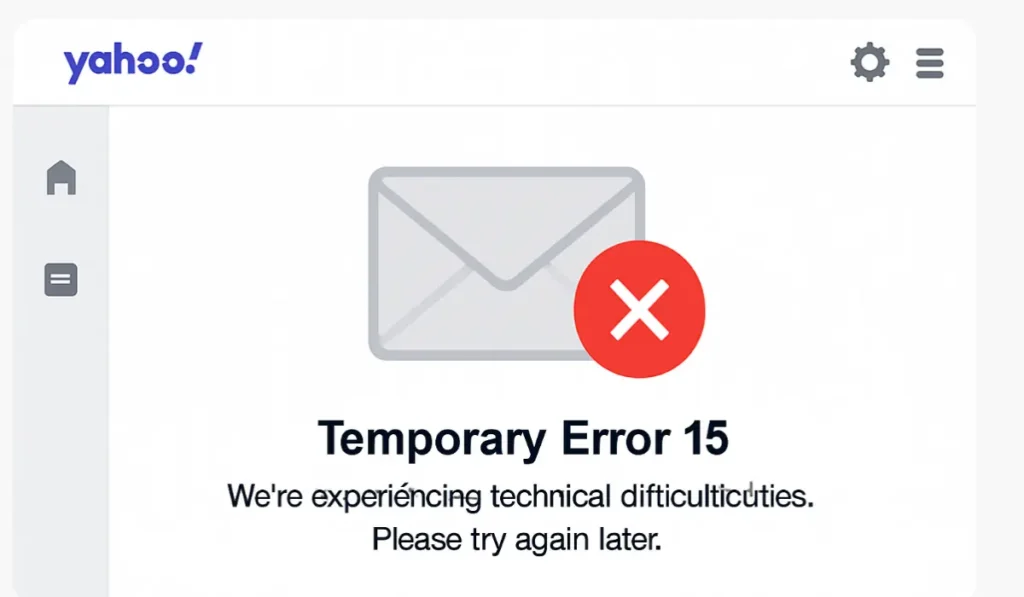
If you’re suddenly seeing a “Temporary Error 15” message while trying to log in to your Yahoo Mail—you’re not alone. Yahoo Mail is currently experiencing a widespread outage that’s affecting thousands of users across the globe. Reports are flooding in from the US, India, and parts of Europe, with frustrated users unable to send, receive, or even access their emails.
What’s Happening to Yahoo Mail?
The issue began surfacing around midday (UTC) when users started getting blocked from their accounts with a generic error that read:
“We’re experiencing technical difficulties. Please try again later. [Temporary Error 15]”
This isn’t just an isolated glitch. According to Moneycontrol, over 20,000 reports were logged on DownDetector within the first hour of the outage. Yahoo Mail is down across browsers, devices, and even third-party apps that sync email.
What Is Temporary Error 15?
This error typically points to a backend server issue—not something on your end. In the past, “Temporary Error 15” has occurred during server overloads, system updates, or when Yahoo’s security protocols lock user sessions temporarily due to abnormal traffic or repeated login attempts.
It’s not linked to hacking or a data breach, according to Yahoo’s previous statements in similar situations.
Why Is This Happening Now?
While Yahoo hasn’t officially confirmed the cause yet, current speculation suggests it could be due to a failed server update or a configuration problem on Yahoo’s mail servers. It may also be tied to temporary overloads on global DNS systems, affecting how Yahoo routes your connection to its mail servers.
Interestingly, AOL Mail users (also owned by Yahoo’s parent company) are experiencing similar problems, which hints at a larger infrastructure issue.
How Long Will Yahoo Mail Be Down?
There’s no official ETA right now. Historically, Yahoo outages like this have lasted from a few hours to an entire day depending on severity.
Yahoo’s team posted a short update on @YahooCare, saying: “We’re aware of the issue affecting Yahoo Mail users and are working to resolve it ASAP. Thank you for your patience.”
learn more: Three Mobile Network Outage Compensation: What You Need to Know
What You Can Do Right Now
- Wait it out: This is a server-side issue. There’s nothing you can fix from your end.
- Don’t refresh repeatedly: Doing so may trigger lockouts due to Yahoo’s rate limiting.
- Try accessing your email via a different method: If you usually use the browser, try the Yahoo Mail mobile app—or vice versa. Sometimes one platform recovers sooner.
- Check for updates on social media: Follow @YahooCare on Twitter/X for real-time news.
- Backup critical data (if possible): If you previously had access and synced Yahoo Mail with an email client like Outlook or Thunderbird, your recent emails may still be cached offline.
- Notify important contacts: Use an alternate email (Gmail, Outlook, etc.) if you’re expecting or needing urgent responses.
What Not to Do
- Don’t reset your password—this won’t fix anything and might delay your account access further once servers are back.
- Don’t delete your app or reinstall it aggressively—this won’t solve a server-side error and could erase cached emails.
- Don’t panic—your emails are still safe on Yahoo’s servers. This is not a data loss issue.
learn more: UK Mobile Outage: EE, Vodafone, and BT Networks Face Major Disruption
Final Thoughts
Yahoo Mail may not be the most modern email provider anymore, but it still has a massive user base, especially for legacy and business accounts. Outages like this remind us how dependent we still are on centralized cloud services—and how critical they are for everyday communication.
We’ll keep this post updated as more information becomes available. For now, your best option is patience and staying tuned for updates from Yahoo’s official support channels.
Got questions or want to report your experience? Drop a comment below or connect with us on social.